

Connect a mailbox
1
Open the mailbox page
Go to Settings → Senders (or Settings → My mailbox if that is what you see).
2
Start the connection
Click Add sender (or Connect mailbox). The Connect Email Account window opens.
3
Choose Gmail or Outlook
Click Sign in with Google for Gmail and Google Workspace addresses, or Sign in with Outlook for Outlook and Microsoft 365 addresses. A sign-in window opens.
4
Sign in and approve
Sign in with the address you want to send from and approve the access it asks for. NextLevel MCA never sees your password.
5
Check it worked
The window closes, you see Google account connected (or Outlook account connected), and the mailbox appears in the list marked Connected.
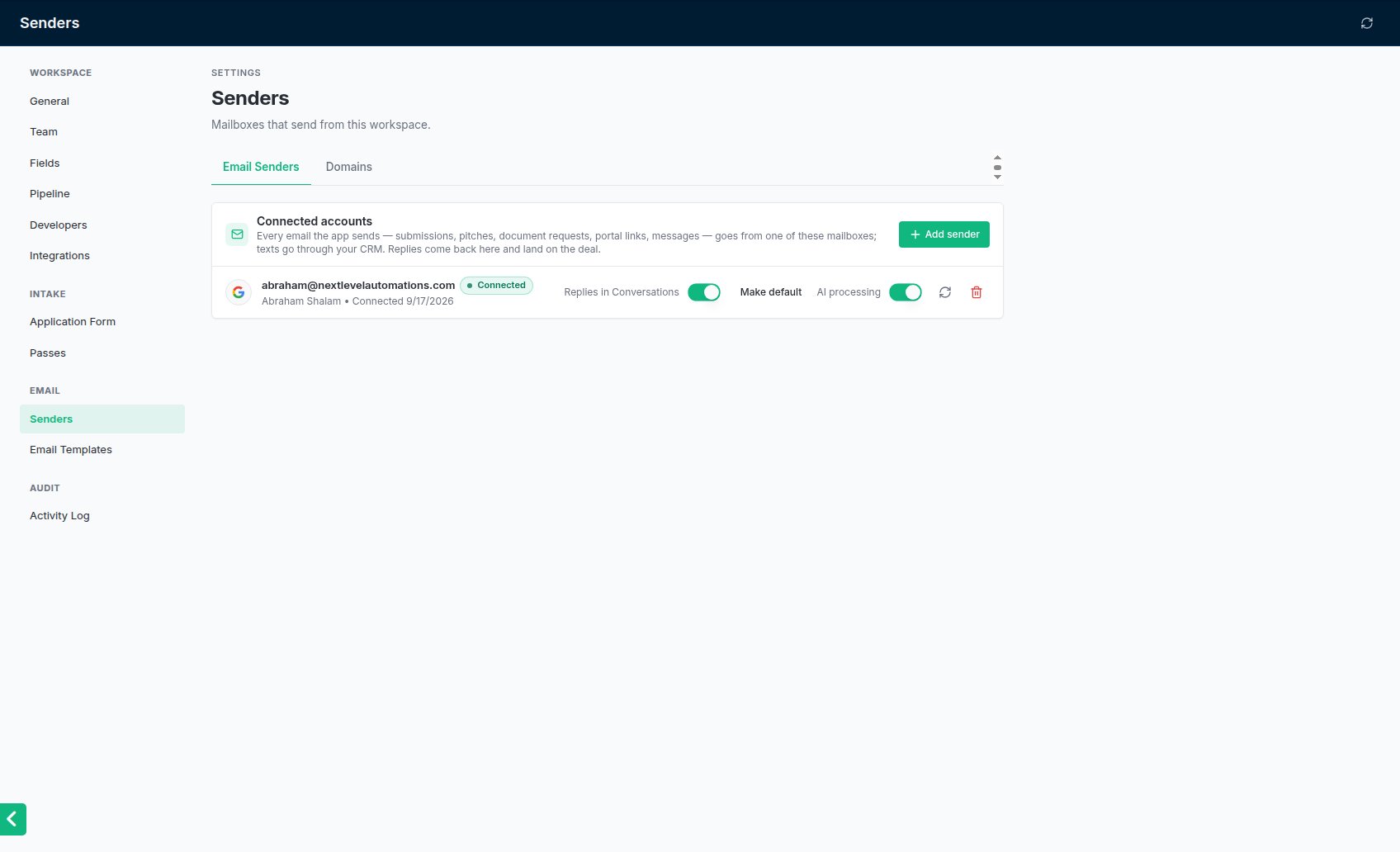
Settings → Senders with one mailbox connected.
Each person should connect their own
A mailbox belongs to whoever connected it. That matters because NextLevel MCA picks mailboxes by owner: the email dialogs start on your own mailbox, and automated emails go from the deal rep’s mailbox. If an admin connects a rep’s address for them, it counts as the admin’s mailbox. So each team member should sign in with their own address, and replies to what they send land in their own inbox.What happens next
- Replies are read. New mailboxes are checked every few minutes for replies to what the app sent. A lender’s reply to a submission can log the offer or the decline, and contracts attached to a reply are filed on the deal. See Replies and declines.
- Merchant replies show on the deal. A merchant’s reply appears in the deal’s Conversation tab.
- Automated emails need a mailbox too. If your team shares one address for automated emails, set it as the default. See Choosing the default sender.
Settings on each mailbox (admins)
On Settings → Senders, each mailbox row has:Common problems
Nothing happens when I click Sign in
Nothing happens when I click Sign in
Your browser may have blocked the sign-in window. Allow pop-ups for NextLevel MCA and try again. The sign-in link is only good for 10 minutes, so start again if you left it open.
The mailbox shows Disconnected
The mailbox shows Disconnected
Google and Microsoft drop connections from time to time. Click Reconnect and sign in again with the same address. See Reconnecting a disconnected mailbox.
Lender replies are not being logged
Lender replies are not being logged
Check the mailbox is Connected and that AI processing is on for it. Only replies that arrive in a connected mailbox are read.
I connected the wrong address
I connected the wrong address
Remove it with the bin icon and connect the right one. Signing in with a different address adds a second mailbox; it does not replace the first.