

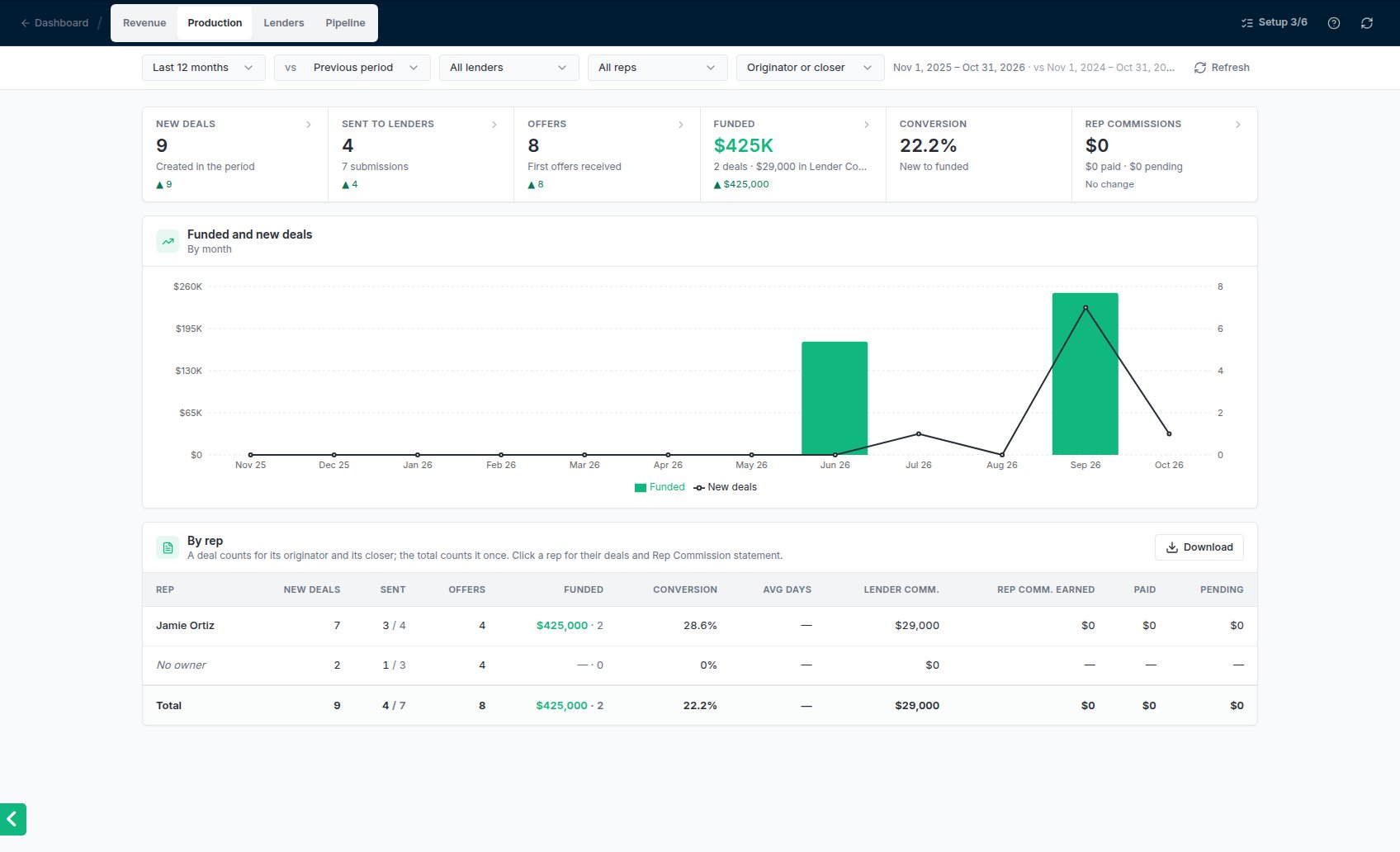
The Production report: the figures, funded and new deals over time, and By rep.
The figures
Click a figure to list what’s behind it, with each deal’s originator and closer.
By rep
One row per rep: New deals, Sent (deals / submissions), Offers, Funded (amount · deals), Conversion, Avg days to fund, Lender Comm. (admins only), and Rep Commissions earned, paid and pending.- A deal counts for its originator and its closer. Each rep’s row shows everything they worked on, so a deal two reps share is on both rows. The Total row counts each deal once, so it can be less than the rows added up.
- No owner lists deals with no originator and no closer. Click it to see them.
- Originator or closer in the filter bar changes the credit: As originator or As closer shows each rep only the deals they had that role on. Deals keep counting once in the totals either way.
One rep’s deals and their statement
Click a rep’s row. The whole report narrows to their deals, and a bar says Showing name’s deals. From there:- Rep Commission statement downloads, as Excel or CSV, every Rep Commission they earned in the period: the business, lender, funded date and amount, the kind of split, the split %, the amount, its status and paid date, with Total, Paid and Pending at the bottom.
- All reps goes back to everyone.
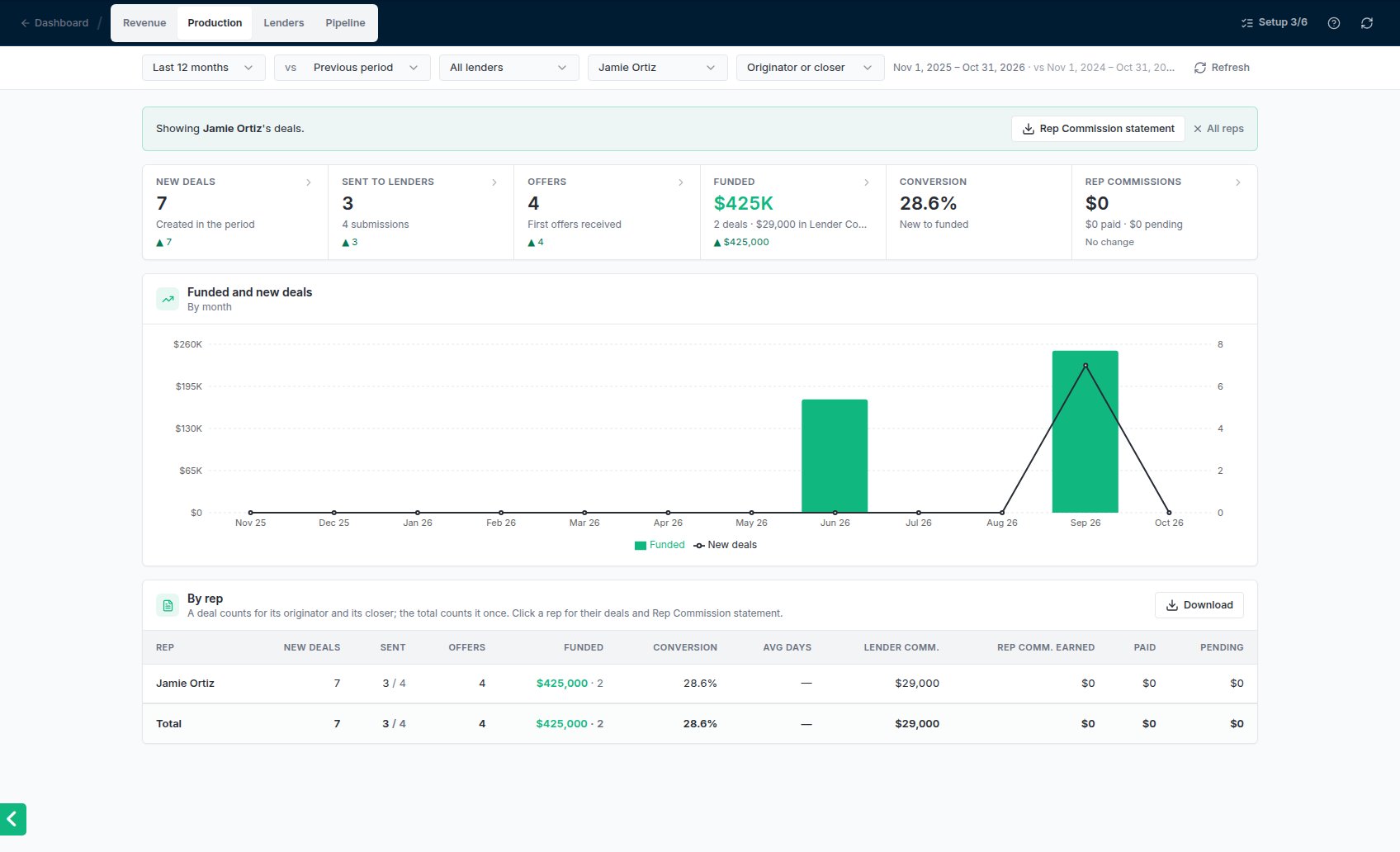
One rep's deals, with Rep Commission statement and All reps.
Common problems
The Total row is less than the reps' rows added up
The Total row is less than the reps' rows added up
That’s expected when deals have both an originator and a closer: the deal is on both reps’ rows but counts once in the total.
Conversion shows — or no days
Conversion shows — or no days
Conversion needs new deals in the period. Days to fund needs at least one of those deals funded, and a deal entered after it funded doesn’t count toward it.
A rep's Rep Commissions are $0
A rep's Rep Commissions are $0
Rep Commissions come from splits on funded deals. Check the rep’s commission percentage, see Rep commission percentages, and the deal’s splits on the Rep Commissions page.