

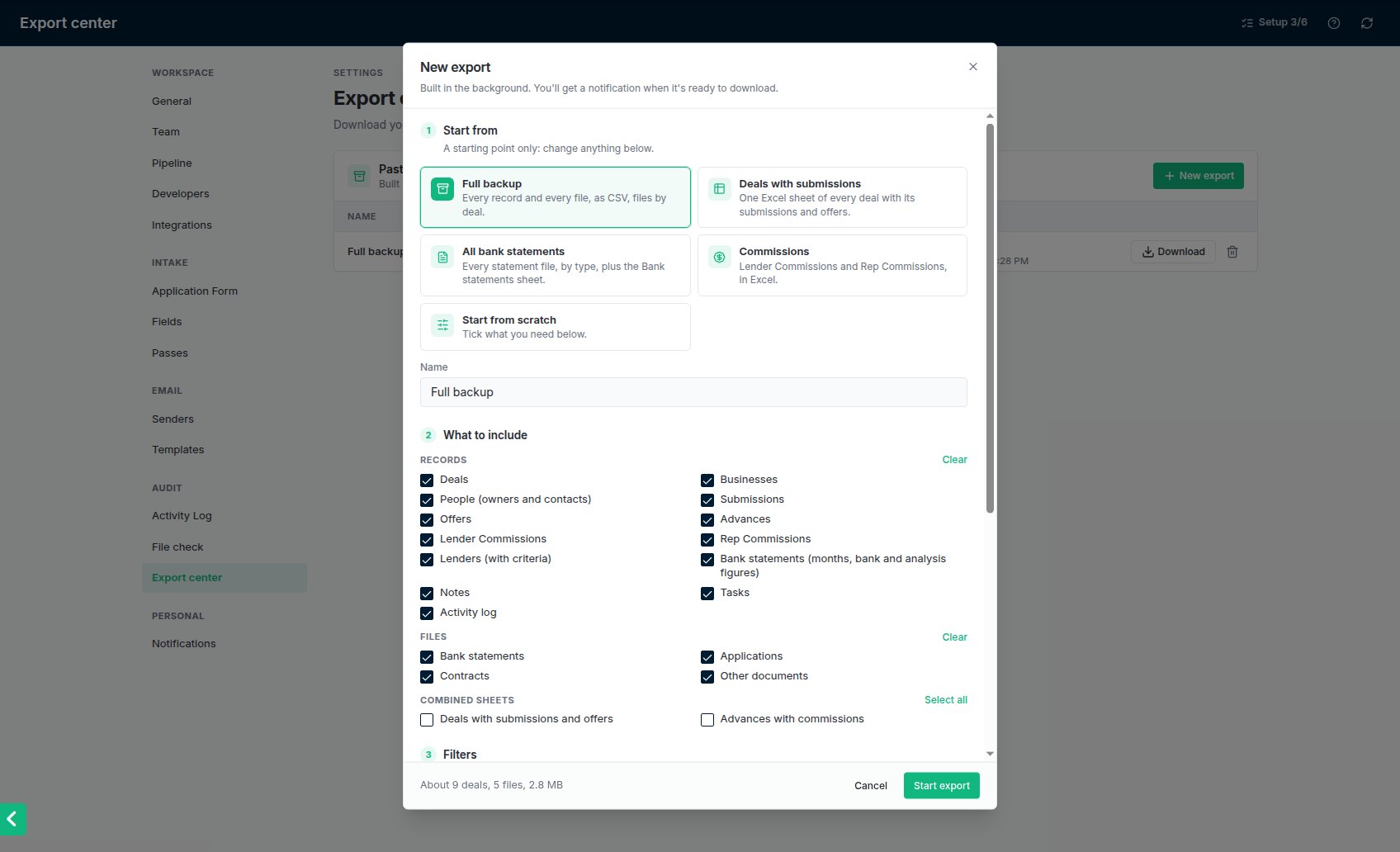
New export: a preset, what to include, filters and format, with the size estimate at the bottom.
Make an export
1
Open the Export center
Go to Settings → Export center (under Audit) and click New export.
2
Start from a preset, or from scratch
A preset only ticks the boxes for you; you can change anything after.
- Full backup: every record and every file.
- Deals with submissions: one sheet of every deal with its submissions and offers.
- All bank statements: every statement file, plus a sheet of the statements and their bank statement analysis figures.
- Commissions: Lender Commissions and Rep Commissions.
3
Choose what to include
Tick the records you want (deals, businesses, people, submissions, offers, advances, Lender Commissions, Rep Commissions, lenders, bank statements, notes, tasks, the activity log), any files, and any combined sheets.
4
Narrow it down, if you like
Filter by date (created, submitted or funded), rep, lender, pipeline stage, or submission, offer and advance status. Filters follow the links: filtering to one lender gives that lender’s submissions, offers and advances, and the deals they belong to.
5
Pick the format and start
Choose Excel (one workbook, a sheet per record type) or CSV (one file per record type). If you included files, choose whether they’re grouped by deal or by document type. The bottom of the window shows roughly how big the export will be. Click Start export.
Download it
Click Download next to the export in Settings → Export center. Downloads only work for admins signed in to your account; the notification and email never contain the file or a link to it. An export is kept for 3 days, then deleted. You can delete it sooner with the bin icon. The list keeps a record of every export that was made, and who made it.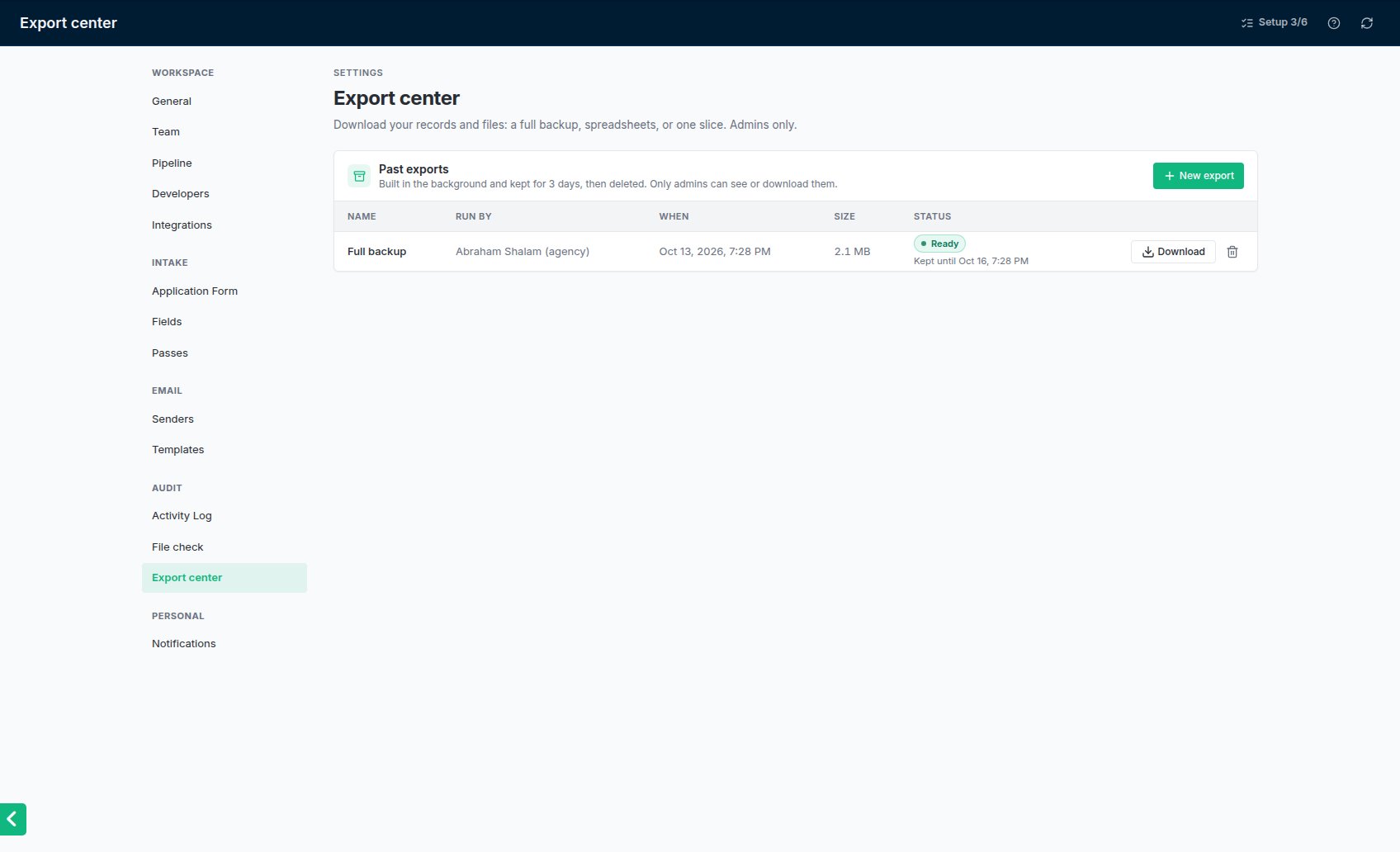
Past exports in Settings → Export center, each with Download until it expires.
What’s in the zip
- records/: your spreadsheets. Money and dates open as numbers and dates.
- files/: the files your merchants and team uploaded, as they were uploaded. Watermarked copies made for lenders are not included.
- README.txt: when the export was made, by whom, with which filters, and how many rows each sheet holds.
SSNs and dates of birth
By default an export shows only the last 4 digits of each SSN, and no dates of birth. To include them in full, tick Include full SSNs and dates of birth and confirm. That export is marked Contains SSNs, and the activity log records who made it. Keep the file somewhere safe and delete it when you’re done.Good to know
- One export runs at a time in your account. You can cancel one that’s still building.
- Starting, downloading, cancelling and deleting an export are all recorded in Settings → Activity log (filter by Export).
- An export can be up to 10 GB. For anything bigger, narrow the date range and export in pieces.