> ## Documentation Index
> Fetch the complete documentation index at: https://docs.nextlevelmca.com/llms.txt
> Use this file to discover all available pages before exploring further.
# What is the merchant portal and how do I send it?
> The private page where merchants upload documents, review offers and sign, and how to send them the 24-hour link.
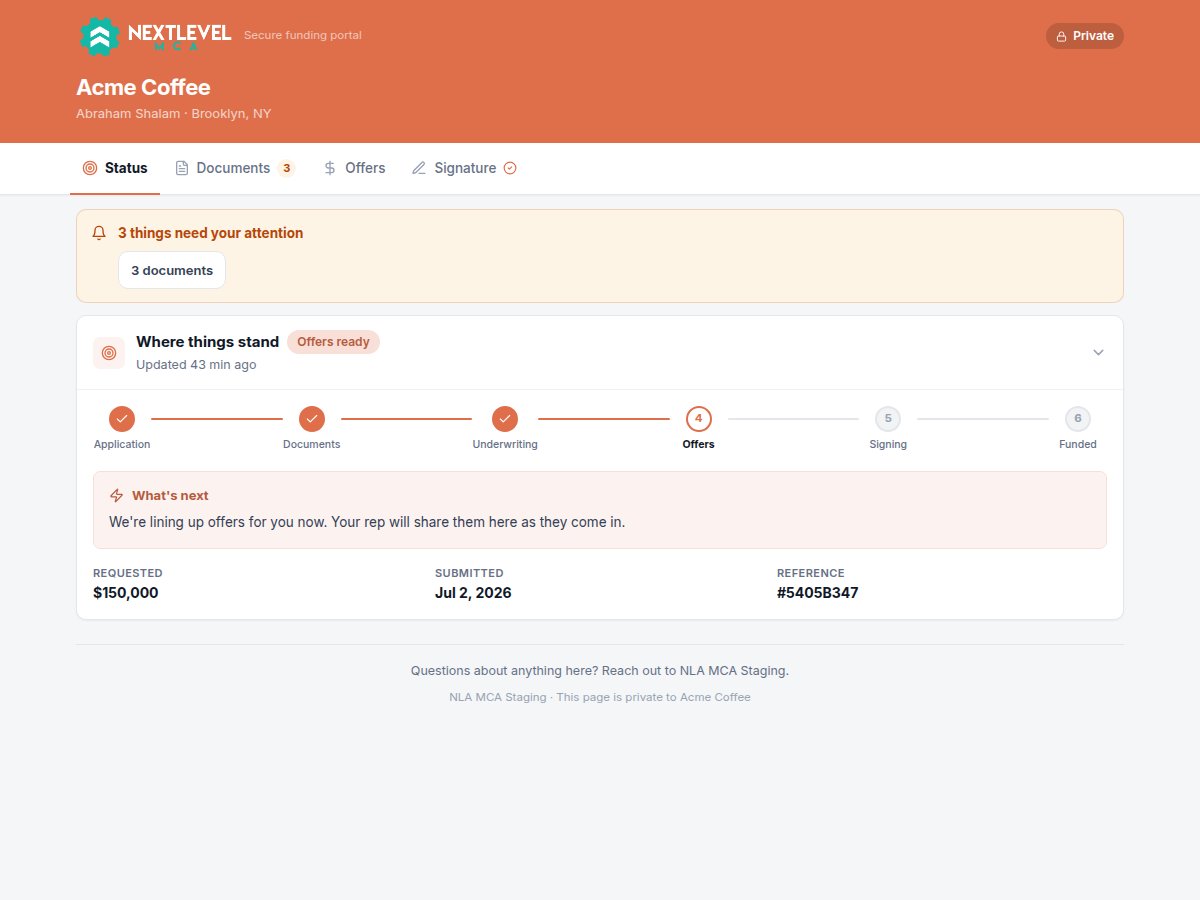
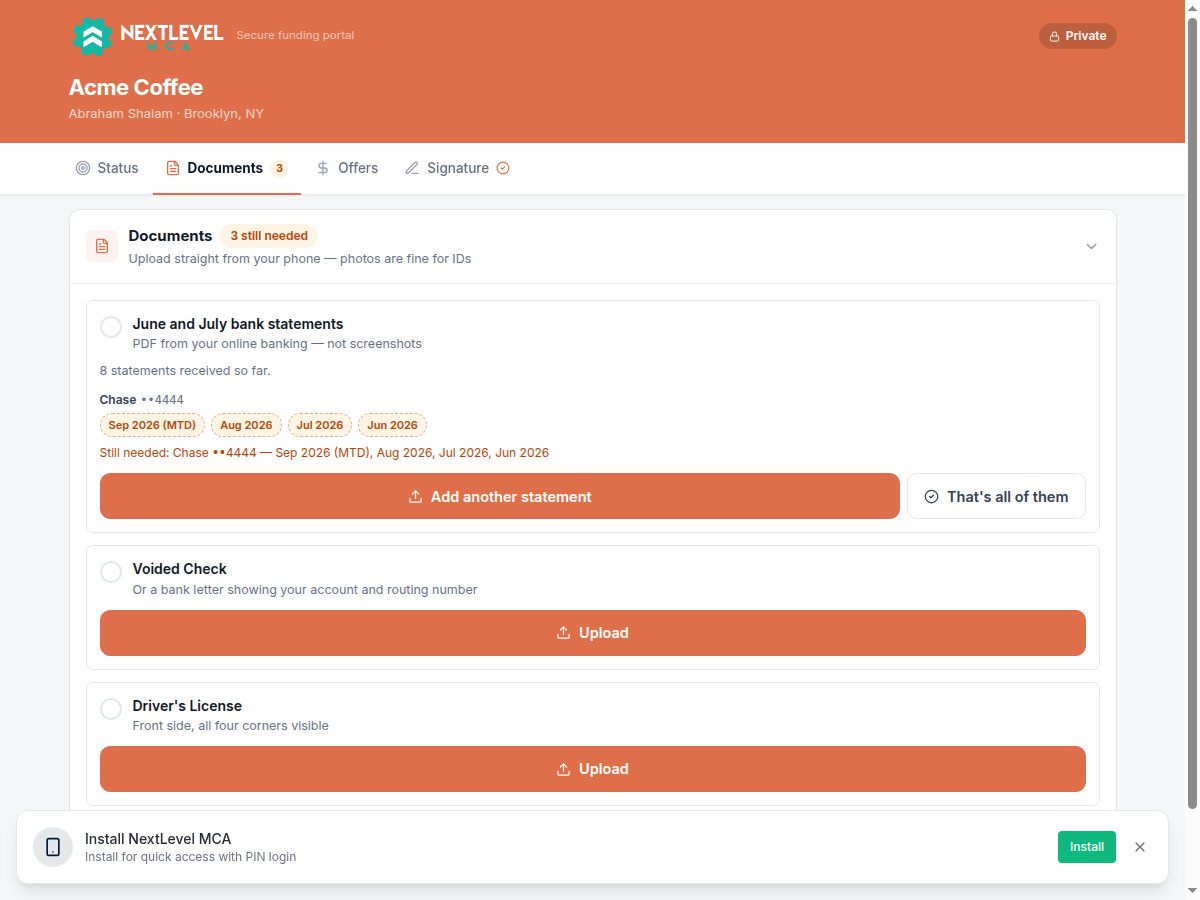
The merchant portal is a private web page for one business. The merchant opens it from a link you send, with no login, and can upload documents, see where their deal stands, review offers, sign their application and return contracts. Anyone who can work a deal can send the link.
## What the merchant sees
The portal carries your logo and colours from your branding settings, the business name, and who's working their file: the deal's **Originator** and **Closer** (or **Originator & closer** when it's one person), with their email and phone.
It has these tabs:
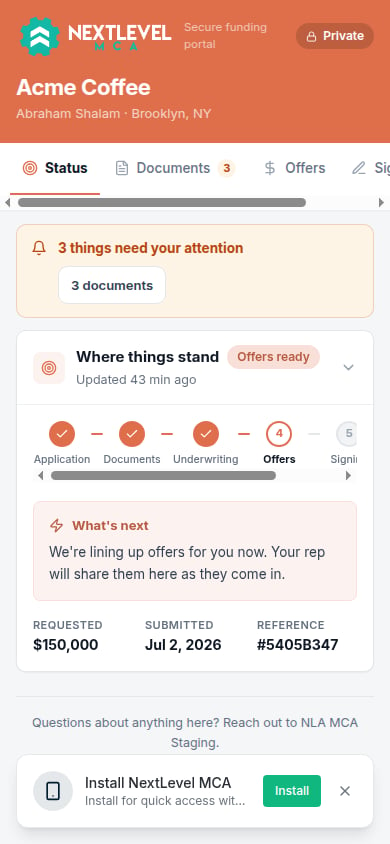
* **Status**: where the deal stands (*Application → Documents → Underwriting → Offers → Signing → Funded*), what happens next, and a banner listing anything that needs the merchant's attention. Past funded advances show underneath.
* **Documents**: every document you asked for, each with an upload button. See [Requesting documents](/help/request-documents).
* **Offers**: offers you've shared, laid out side by side, with **Accept** and **Decline**.
* **Signature**: only appears when you've asked the owner to sign the application.
* **Contracts**: only appears once you've shared contracts, which the merchant downloads, signs and uploads back.
A tab shows a count while something is waiting on the merchant. The link covers every deal of that business, so a merchant with more than one open request can switch between them. For signatures and contracts, see [Contracts and signatures](/help/contracts-and-signatures). For offers, see [Logging an offer](/help/offers-and-contracts).
 ## Sending the link
On the deal, click the **Portal link** button in the header (the chain-link icon). It's also on the business's page. A link is created if the business doesn't have a live one, and a countdown shows how long it has left.
* **Send by text** goes through your CRM.
* **Send by email** goes from your connected mailbox.
* Or click **Copy link** and deliver it yourself.
For a text or email, pick the contact under **Who gets it**. The message already contains the link; edit the rest if you like, then click **Send text** or **Send email**.
Sending the link is recorded in the deal's activity log. A document request carries the portal link too, so you don't need to send both. See [Requesting documents](/help/request-documents).
## Sending the link
On the deal, click the **Portal link** button in the header (the chain-link icon). It's also on the business's page. A link is created if the business doesn't have a live one, and a countdown shows how long it has left.
* **Send by text** goes through your CRM.
* **Send by email** goes from your connected mailbox.
* Or click **Copy link** and deliver it yourself.
For a text or email, pick the contact under **Who gets it**. The message already contains the link; edit the rest if you like, then click **Send text** or **Send email**.
Sending the link is recorded in the deal's activity log. A document request carries the portal link too, so you don't need to send both. See [Requesting documents](/help/request-documents).
 ## The 24-hour link
* A portal link works for **24 hours**. While it's live, opening **Portal link** again shows the same link to copy.
* Each contact you text or email gets their own link, and so does each address a document request or offer is emailed to. That way an expired link is always renewed for the person who had it.
* **Regenerate** makes a new link and stops every live link for the business at once. Use it if a link went to the wrong person.
* When a merchant opens an expired link, the page says *This link has expired* and offers **Send me a new link**. The new link goes to the person the old one was sent to: by text if they're linked to your CRM, otherwise by email from the deal rep's mailbox or your default sender. Nothing they uploaded is lost.
* Anyone with a live link can upload documents and view offers, so send it only to the merchant.
## Common problems
Email goes from a connected mailbox, never through the CRM. Connect one under **Settings → Senders**, or send by text or copy the link. See [Connecting a mailbox](/help/email-senders).
The contact needs a mobile number and a link to a CRM contact. The window says which one is missing.
A link cut short in a text message or copied without its full address shows *We can't open this link*. Ask the merchant to tap the link in the original message, or send a new one.
The portal takes PDFs and photos (PNG, JPG, HEIC) up to 25 MB each. The page tells the merchant if a file is too large or the wrong type.
## Related
* [Requesting documents](/help/request-documents)
* [Contracts and signatures](/help/contracts-and-signatures)
* [Uploading bank statements](/help/upload-statements)
This documentation is built and hosted on [Mintlify](https://mintlify.com), a developer documentation platform.
## The 24-hour link
* A portal link works for **24 hours**. While it's live, opening **Portal link** again shows the same link to copy.
* Each contact you text or email gets their own link, and so does each address a document request or offer is emailed to. That way an expired link is always renewed for the person who had it.
* **Regenerate** makes a new link and stops every live link for the business at once. Use it if a link went to the wrong person.
* When a merchant opens an expired link, the page says *This link has expired* and offers **Send me a new link**. The new link goes to the person the old one was sent to: by text if they're linked to your CRM, otherwise by email from the deal rep's mailbox or your default sender. Nothing they uploaded is lost.
* Anyone with a live link can upload documents and view offers, so send it only to the merchant.
## Common problems
Email goes from a connected mailbox, never through the CRM. Connect one under **Settings → Senders**, or send by text or copy the link. See [Connecting a mailbox](/help/email-senders).
The contact needs a mobile number and a link to a CRM contact. The window says which one is missing.
A link cut short in a text message or copied without its full address shows *We can't open this link*. Ask the merchant to tap the link in the original message, or send a new one.
The portal takes PDFs and photos (PNG, JPG, HEIC) up to 25 MB each. The page tells the merchant if a file is too large or the wrong type.
## Related
* [Requesting documents](/help/request-documents)
* [Contracts and signatures](/help/contracts-and-signatures)
* [Uploading bank statements](/help/upload-statements)
This documentation is built and hosted on [Mintlify](https://mintlify.com), a developer documentation platform.